
WordPress CRM Integration Checklist: Stop Losing Leads After Form Submission
A contact form is only the beginning of a lead journey. A visitor may see a success message while their details never reach the sales team. WordPress might save an entry but fail to create a CRM record, assign the wrong owner, or duplicate an existing contact.
That is why a WordPress CRM integration should be designed as a business workflow, not simply a plugin connection. Whether you use Gravity Forms, another form builder, or a custom form, the important question is: Can the right person act on a valid enquiry, with the right context, at the right time?
This guide explains how to plan the connection, what to test before launch, and how to make failures visible without exposing personal information.
1. Draw the complete lead journey before choosing a plugin
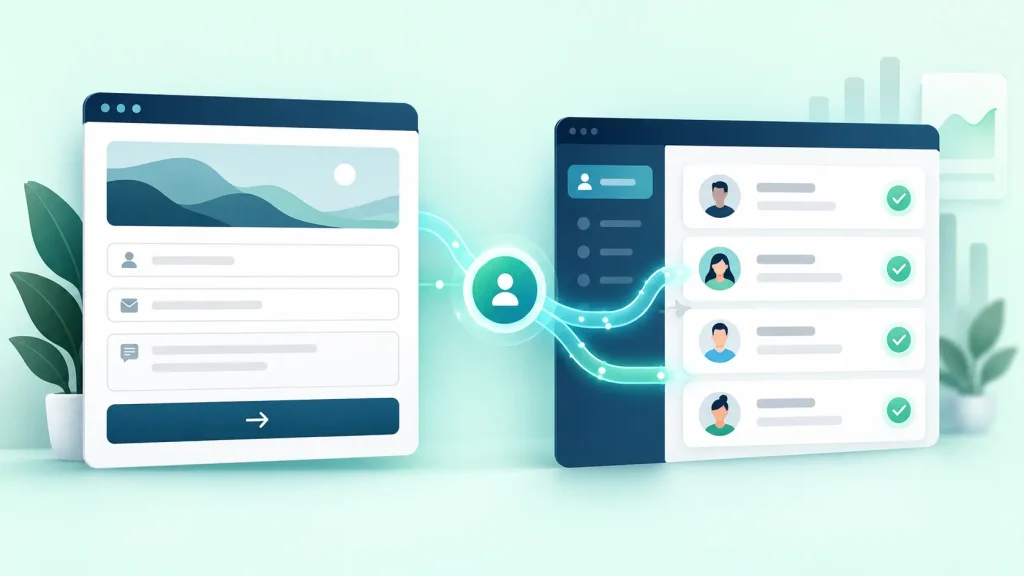
Start with a simple diagram: website form → validated submission → WordPress entry → integration → CRM contact/deal → owner assignment → follow-up → outcome. Identify the source of truth at each stage. A successful form submission is not the same as successful CRM delivery, and neither guarantees someone followed up.
Define responsibilities. Marketing might own the form and campaign fields, a developer the integration, and sales the response queue. Agree what happens outside business hours, when an owner is unavailable, and when an enquiry is support rather than sales.
2. Define the minimum data you actually need
Start with name, a reliable contact method, enquiry details, and only the qualifying questions the team uses. Explain optional fields and mark genuinely required fields clearly.
Before connecting the CRM, create a field-mapping sheet showing each form field, CRM property, type, validation rule, whether it is required, and expected behavior when blank.
| Website field | CRM destination | Rule | Failure to test |
|---|---|---|---|
| Contact email | Trim spaces and validate | Rejected or duplicate contact | |
| Phone | Phone | Preserve country code | Lost leading zero or wrong country |
| Service requested | Service interest | Use agreed option values | Unmapped dropdown value |
| Message | Enquiry notes | Preserve meaning; minimize sensitive data | Truncation |
| Source page | First enquiry page | Approved path or URL | Wrong attribution |
| Consent | Consent record | Record actual choice | Assumed marketing opt-in |
Check whether CRM properties expect text, a date, a number, one option, or several options. Mismatched data types can silently break mappings.
3. Choose the integration route based on complexity
Evaluate the number of forms, CRM API support, conditional routing, subscription costs and the team’s ability to monitor failures. No single connector suits every business.
| Approach | Often suitable for | Trade-off |
|---|---|---|
| Official CRM add-on | Supported, straightforward integration | Field coverage and feed conditions |
| Automation platform | Multiple apps and no-code routing | Usage limits, delays and error visibility |
| Webhook to API | Custom field mappings | Authentication, retries and maintenance |
| Custom WordPress integration | Complex internal systems | Testing, ownership and support |
Gravity Forms’ Webhooks Add-On can send selected data to APIs using conditional logic, subject to the relevant license. Its feed documentation notes that an active feed must be present at submission time; activating one later does not automatically process old entries.
4. Separate submission success from delivery success
The public success message should reflect whether the website accepted the submission. Internally, track whether the CRM accepted the lead. A temporary CRM outage should not force visitors to resubmit when the form entry was safely stored.
Use an internal delivery status such as received, queued, delivered, needs_review, or failed. Staff should be able to locate accepted submissions missing from the CRM. Never expose API error traces or credentials in public confirmations.
5. Design for duplicates and repeated requests
Visitors may double-click Submit, retry a slow request, or return through another campaign. A webhook might also be resent during troubleshooting. Define whether to update an existing contact, append a new activity, or create a new opportunity.
Email can help match contacts, but shared addresses and changed emails complicate the rule. Use a stable submission identifier and idempotency handling where supported. Test repeated delivery of the same entry before launch.
6. Route every enquiry to a real owner
Routing might depend on service category, location, account owner, language, availability or working hours. A generic inbox is not a dependable handoff unless someone monitors it. Create a fallback owner or review queue for unmatched values.
Record assignment decisions and keep enquiry context accessible to the responsible person. If the sales team covers multiple regions, check time zones, holidays and out-of-hours coverage.
7. Keep enquiry consent separate from marketing permission
Asking for a quote does not automatically mean subscribing to promotional emails. Use separate clear choices where needed and record the appropriate evidence under the laws and policies applicable to your markets.
Do not pass passwords, payment details or unnecessary personal information into marketing tools. Keep API secrets out of page markup, limit credential permissions, and restrict access to form exports. HubSpot’s GDPR integration guidance illustrates why consent mapping needs explicit attention. Seek appropriate legal advice for jurisdiction-specific requirements.
8. Preserve useful campaign context without collecting everything
Sales may benefit from an approved landing-page path, campaign source or declared service interest. Decide whether to preserve first-touch, latest-touch or both, and prevent repeat visits from accidentally overwriting useful earlier context.
Do not send names, emails, phone numbers or free-text enquiry messages into GA4 or advertising event parameters. Analytics may measure submissions, while the CRM handles identifiable contact records. Keep the distinction between submissions, CRM deliveries and qualified leads clear.
9. Make failed deliveries recoverable
Connections fail because of expired credentials, API limits, missing fields, changed property names, outages or inactive feeds. Name a monitoring owner and set a sensible alert threshold.
Operational logs should use submission IDs, timestamps, destination, status and sanitized error codes rather than complete contact payloads. Use bounded retries with backoff if supported; otherwise document a safe manual reprocessing process. Never assume a plugin automatically retries failed feeds without checking its documentation.
10. Test the entire journey on mobile and desktop
Do not stop after the success message appears. Create controlled test entries and inspect the destination CRM and routing results.
- A valid enquiry reaches the correct CRM pipeline and owner.
- Required-field and invalid-email errors are clear and accessible.
- A newly added service option maps to the correct CRM property.
- Repeated submission follows the agreed duplicate rule.
- Temporary CRM failure creates a visible alert or queue item.
- Out-of-hours enquiries reach the fallback workflow.
- Marketing opt-out remains an opt-out.
- Mobile and keyboard submissions work with usable labels.
- Paid-campaign enquiries preserve only approved attribution fields.
- Spam and support enquiries do not become sales opportunities accidentally.
Record expected result, actual result, owner and resolution for each test. Clearly label test contacts and exclude them from production reports after verification.
11. Measure lead operations, not just form conversion rate
A strong form conversion rate can hide poor follow-up. Track operational measures that help your team improve the process:
| Measure | What it reveals |
|---|---|
| Accepted submissions | What WordPress received |
| CRM delivery success rate | Whether integration delivery works |
| Unassigned leads | Handoffs requiring attention |
| Time to first human response | Sales follow-up speed |
| Qualified enquiries | Business fit of incoming leads |
| Duplicate or rejected entries | Data quality problems |
Review by form, service and source when there is enough data. Integration alone cannot guarantee more qualified enquiries: offer, traffic quality and sales process still matter.
12. Plan handover and change control
Document the connector, CRM destination, field map, credential owner, conditional rules, alerts, export process and tests. Agree who maintains it after plugin updates, form edits, CRM property changes or agency handover.
On a Beaver Builder site, the visible form layout may be easy to change while the actual webhook or feed settings live in the form plugin. Treat page design and integration settings as separate handover assets.
For new projects, Webgeek’s WordPress development service includes forms and agreed third-party integrations. For a broken existing workflow, hourly development support may be a focused starting point. Agencies can explore white-label WordPress support for client implementations.
Copy-ready WordPress CRM integration brief
Before requesting a quote, give your developer or agency the following requirements:
| Requirement | Your answer |
|---|---|
| WordPress site and form plugin | Site URL, plugin and form IDs |
| Destination CRM | Platform, workspace and pipeline |
| Fields to send | Approved mapping sheet |
| Matching rule | Create, update, append activity or new deal |
| Lead assignment | Owner rules and fallback queue |
| Consent | Text, choices and retention policy |
| Attribution | Approved campaign fields |
| Error handling | Monitoring, alerts and retry/replay plan |
| Acceptance criteria | Test scenarios and sign-off owner |
| Handover | Credential and maintenance ownership |
A clear brief helps compare proposals and reduces surprises at launch.
Frequently asked questions
Can WordPress send leads directly to a CRM?
Yes. Depending on the form plugin and CRM, use an official add-on, automation platform, webhook or custom API connection. Compare field support, licensing and error handling.
Do I need Gravity Forms for WordPress CRM integration?
No. Gravity Forms is one option, not a requirement. Choose based on your form builder, CRM and maintenance needs.
Why are WordPress form entries missing from the CRM?
Common causes include inactive feeds, failed authentication, invalid mappings, API limits, conditional rules or rejected duplicates. Check the entry, connector status and sanitized logs before asking a visitor to resubmit.
Should every enquiry create a new deal?
Not always. Some teams update an existing contact and add an activity; others create a deal for each distinct opportunity. Decide this before launch.
Who maintains the integration after launch?
Assign an owner for plugin updates, CRM changes, credential rotation, alerts and periodic test submissions.
Turn website enquiries into a dependable workflow
A successful WordPress CRM integration is one your team can understand, monitor and maintain. Start with field mapping, consent, reliable routing and end-to-end testing. Improve the process using actual lead outcomes, not only the number of forms submitted.
If your WordPress website needs a CRM connection, routing audit or integration repair, tell Webgeek about your project and share your form plugin, CRM and current problem. We can discuss the scope and the next practical step.
